
Affiliate disclosure: Some recommended tool links may earn Paepae Stack a commission if you buy through them. Recommendations are based on fit, tradeoffs, evidence, and source notes. Read the disclosure.
Publisher Rocket product media preview
Publisher Rocket screenResearch before upload

Map the main research surfaces before making KDP metadata choices.

Workflow evidence

What the Publisher Rocket research workflow looks like

These captured product screens are used as workflow evidence: they show the surfaces a KDP author would inspect while researching keywords, categories, and comparable books. They are not proof of expected publishing outcomes.

Research map

Start with the research map

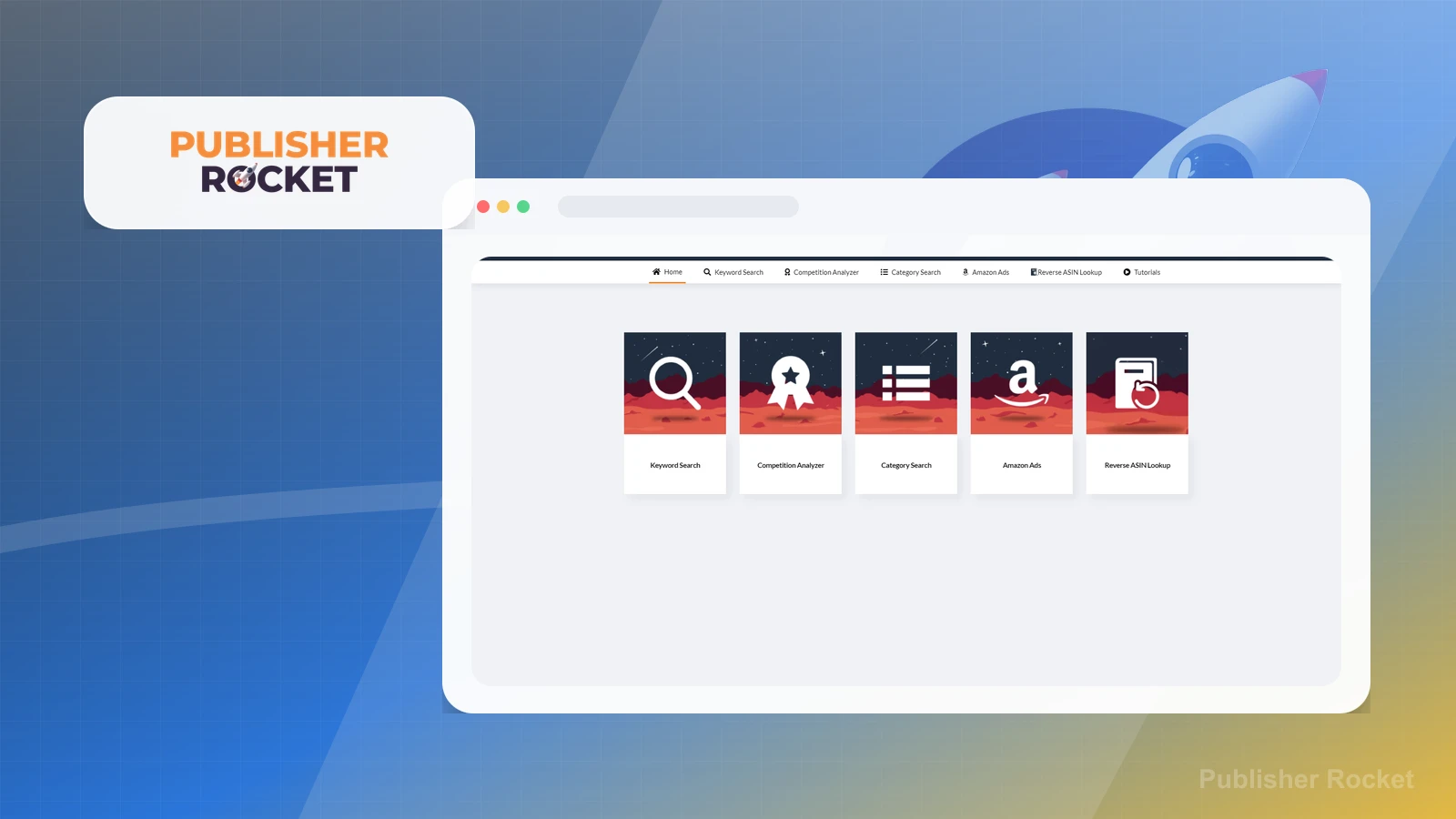
Publisher Rocket groups the main author-research jobs into modules for keyword search, competition analysis, category search, Amazon Ads, and reverse ASIN checks. That makes the first decision practical: choose the research question before opening more tables.

Practical use

  • Decide whether the next pass is about keywords, categories, comparable books, ads, or ASIN research.
  • Keep the book idea, reader promise, and category hypothesis clear before treating software output as direction.

What this screen does not prove: A feature map is not a launch plan. The tool can organize research surfaces, but the author still has to interpret fit and choose the metadata path.

Publisher Rocket menu and research modulesThe menu/dashboard shows the main research modules available before an author chooses which KDP research path to inspect first.

Keyword table

Turn seed phrases into keyword candidates

The keyword research table turns a seed idea into candidate phrases and side-by-side metrics. Use it to narrow a messy idea list into terms worth checking manually, not to declare a keyword safe or profitable on its own.

Practical use

  • Compare directional signals such as competing pages, average price, estimated searches, and competition score.
  • Shortlist candidate terms for manual Amazon/KDP verification before final metadata decisions.

What this screen does not prove: Keyword metrics are directional research inputs. They should not be presented as promises of search visibility, sales, or ranking performance.

Keyword research tableThe table is dense, so the page links to the full-size capture for readers who want to inspect the columns rather than treat the image as decoration.

Comparable books

Check comparable books before positioning

The competition view helps an author inspect comparable titles before deciding how to frame a book. The useful job is context: what kinds of books show up, how they are priced and categorized, and whether the positioning hypothesis still makes sense.

Practical use

  • Review comparable titles, authors, page counts, prices, ratings, sales-rank signals, and category placement.
  • Use the market context to refine positioning, not to copy a competitor or assume a future result.

What this screen does not prove: Comparable-book research does not predict whether a new book will outperform existing titles or bypass Amazon competition.

Competition analyzer tableThe competition analyzer screenshot supports cautious market-context notes, but not sales, ranking, or launch-performance claims.