Affiliate disclosure: Some recommended tool links may earn Paepae Stack a commission if you buy through them. Recommendations are based on fit, tradeoffs, evidence, and source notes. Read the disclosure.
KDPEasy product media preview

Workflow evidence

What the KDPEasy publishing workflow looks like

These six PaepaeStack owner-captured KDPEasy screens document dashboard and tool selection, coloring-book setup, puzzle-type selection, KDP file checks, cover mockups, and book-description generation visible at capture time. They are interface documentation only, not proof of KDP acceptance, compliance, originality, rights clearance, print quality, account safety, rankings, or sales.

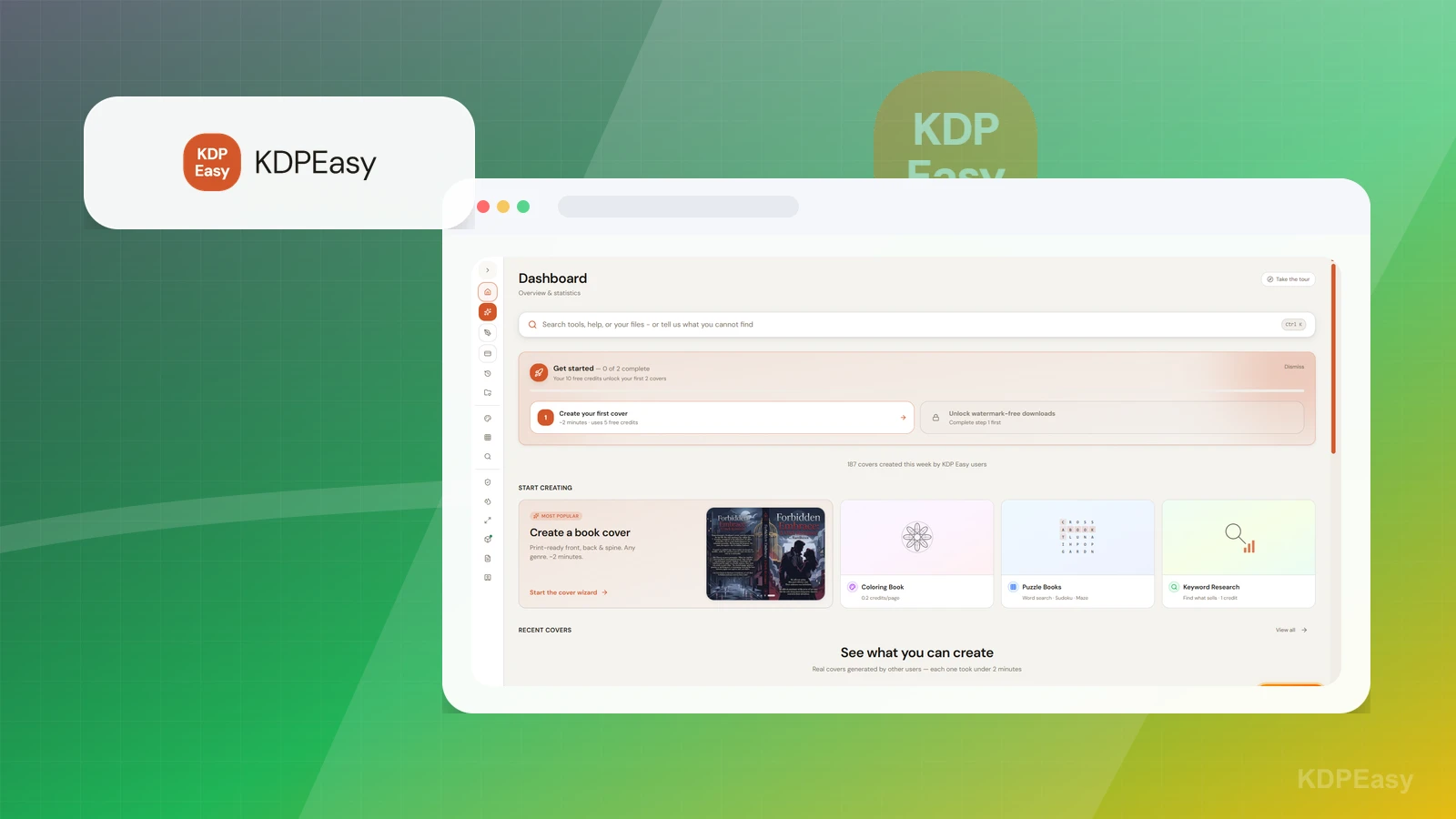
Dashboard

Start with the available publishing tools

The dashboard exposes navigation and cards for workflow tools and learning or help surfaces.

Practical use

  • Identify which tools support research, interior creation, QA, mockups, or listing preparation.
  • Choose one small representative workflow before scaling output.

What this screen does not prove: A dashboard does not prove any output was created, original, compliant, upload-ready, accepted, ranked, or sold.

KDPEasy publishing dashboardOwner-captured KDPEasy dashboard interface at capture time.

Coloring book

Review coloring-book inputs before generation

The generator setup includes dimensions, page count, art style, drawing type, and topic controls.

Practical use

  • Define audience, dimensions, page count, style, source rights, and topic boundaries.
  • Inspect generated pages manually for line quality, repetition, age fit, rights, print fit, and completeness.

What this screen does not prove: Setup controls do not prove generated output is original, rights-cleared, accurate, accessible, print-ready, policy-compliant, or accepted by KDP.

KDPEasy coloring-book generator setupOwner-captured KDPEasy coloring-book setup interface at capture time.

Puzzle book

Choose and validate a puzzle workflow

The screen shows selectable puzzle types such as crosswords, sudoku, mazes, word search, and adjacent activity formats.

Practical use

  • Choose a puzzle type appropriate to the reader and book promise.
  • Verify puzzle correctness, answer keys, duplication, difficulty, readability, trim size, bleed, and export before publication.

What this screen does not prove: Puzzle choices and thumbnails do not prove correctness, uniqueness, answer-key quality, print fit, reader satisfaction, or KDP acceptance.

KDPEasy puzzle-type selectorOwner-captured KDPEasy puzzle-selection interface at capture time.

KDPCheck

Use file checks as aids, not guarantees

The checker accepts an interior PDF and cover image, displays trim-size controls, notes compatibility expectations, and offers a check action.

Practical use

  • Run preflight checks on representative interior and cover files.
  • Verify findings against current Amazon KDP specifications and inspect files manually.

What this screen does not prove: Upload fields and automated checks do not prove compliance, approval, account safety, print quality, or detection of every rights, layout, or content problem.

KDPEasy KDPCheck file checkerOwner-captured KDPEasy KDPCheck interface at capture time.

Cover mockups

Separate presentation mockups from upload files

The screen accepts front-cover art and offers multiple mockup templates and format selection.

Practical use

  • Create presentation references after the cover strategy is defined.
  • Separately inspect thumbnail readability, typography, genre cues, source rights, trim, bleed, spine, barcode, and upload specifications.

What this screen does not prove: Mockup previews do not prove upload readiness, print quality, commercial-use rights, genre fit, conversion, rankings, or sales.

KDPEasy cover-mockup generatorOwner-captured KDPEasy cover-mockup interface at capture time.

Book descriptions

Review generated listing copy manually

The visible Amazon Description form includes Book Title, Genre, Plot Summary, Mood Tags, a Generate Description button, and an empty Results panel.

Practical use

  • Prepare title, genre, plot-summary, and mood-tag inputs grounded in the actual book.
  • Manually review generated copy for accuracy, unsupported claims, keyword use, formatting, trademarks, reader expectations, and current KDP metadata rules.

What this screen does not prove: Generator fields do not prove copy accuracy, originality, policy compliance, ranking, conversion, reader satisfaction, or sales.

KDPEasy book-description generatorOwner-captured KDPEasy description-generation interface at capture time.

Plain verdict

Should you use KDPEasy?

Example to explore cautiously for low-content or DIY-design workflows, with strict KDP compliance and originality guardrails.

Use this if

  • Low-content book workflows
  • DIY KDP design
  • Puzzle and activity-book planning

Avoid for now if

  • Authors who have not checked KDP quality, originality, and rights requirements
  • Manuscript-led books that need drafting, editing, or positioning before design
  • Anyone expecting automated design tools to guarantee approval, rankings, or sales

Evidence status

Documentation-based with workflow documentation

Last verified: 2026-06-08

Outbound status

Approved affiliate link

Affiliate links are disclosed before product clicks. Review the methodology.

Decision flow

Place KDPEasy in the stack decision

Use this path before treating KDPEasy as the answer. The product should fit the workflow role, comparison fork, and upgrade timing before an outbound click.

Short answer

KDPEasy is an under-review candidate for low-content book workflows when that workflow is already the next bottleneck. Paepae Stack treats this page as documentation-based fit guidance, so it does not prove performance, conversion lift, deliverability, support quality, billing reliability, uptime, or long-term workflow results.

Quick take

A KDP research, design, and low-content workflow tool for authors exploring puzzle books, coloring books, and similar publishing paths.

This is an example to explore while Paepae Stack reviews the workflow. Treat it as documentation-based fit guidance, not as proof of output quality, ad performance, support, billing, or long-term reliability.

Paepae Stack positions KDPEasy as low-content kdp planning, diy design workflow notes, and self-publishing compliance guardrails. The fit depends on the workflow, not only the feature list.

The recommendation includes workflow documentation and visible limitation notes, so the page separates what was seen in the workflow from claims that still require stronger proof.

Not ideal for

  • Authors who have not checked KDP quality, originality, and rights requirements
  • Manuscript-led books that need drafting, editing, or positioning before design
  • Anyone expecting automated design tools to guarantee approval, rankings, or sales

Strengths

  • Specific fit for low-content and activity-book workflows
  • Can support design-oriented KDP planning when compliance is explicit
  • Useful comparison point against broader asset marketplaces and cover tools

Cautions

  • Keep claims under review until KDP-compliance posture, originality, export, and rights evidence are checked
  • Verify current features, plan limits, asset rights, commercial use, and KDP upload requirements
  • Do not imply KDP acceptance, copyright safety, originality, rankings, or sales outcomes without evidence

What is still under review

This page is useful for workflow-fit research, but it is not a hands-on proof page yet. The captured interface documents visible controls, while completed owned setup evidence is still needed before making stronger claims.

  • Capture a representative setup path with screenshots or notes that support only the visible workflow claims.
  • Verify current plan limits, billing surfaces, export or migration controls, and cleanup path.
  • Keep performance, support, reliability, deliverability, conversion, or revenue claims out until owned evidence supports them.

Pricing snapshot

KDP and low-content workflow pricing should be checked from the current product site before relying on exact plan, export, or commercial-use terms.

Start by checking asset rights, originality, export formats, puzzle or activity book workflows, KDP upload needs, and compliance responsibilities.

Plan caveats

  • Low-content publishing has extra originality, copyright, trademark, and KDP-quality risks that software cannot remove.
  • Do not rely on any tool for KDP acceptance, ranking, sales, copyright safety, or compliance without separate review.

Pricing sources

Implementation notes

  • Start by deciding the job KDPEasy must do in the stack, then compare it against the nearest alternatives.

When to upgrade

  • Upgrade toward KDPEasy when the workflow it supports is already visible in the business.
  • Delay the purchase if the tool would create more setup work than customer-facing value this month.

Questions this page answers

Who is KDPEasy a good fit for?
KDPEasy is a good fit for low-content book workflows, diy kdp design, puzzle and activity-book planning when that workflow is already the next practical job in the business.
Who should skip KDPEasy?
Skip or delay KDPEasy if you identify with authors who have not checked kdp quality, originality, and rights requirements or if the tool would add setup work before creating customer-facing value.

Next best action

Decide whether KDPEasy fits

The page is past the quarterly review window and should be refreshed before heavier promotion.

Visit KDPEasy: Open the approved outbound path after checking the fit notes and plan caveats.

Use Stack Builder: Use the guided path if the right category or stack is still unclear.

Next steps

Compare or continue