Affiliate disclosure: Some recommended tool links may earn Paepae Stack a commission if you buy through them. Recommendations are based on fit, tradeoffs, evidence, and source notes. Read the disclosure.
Creatify product media preview

Workflow evidence

What the Creatify ad-creative workflow looks like

These three PaepaeStack owner-captured Creatify screens show report, example-ad, and creative-tool interface content at capture time. They are documentation evidence only, not proof of an account connection, metric accuracy, attribution, output quality, rights, consent, publication, ad acceptance, conversion, revenue, or outcomes.

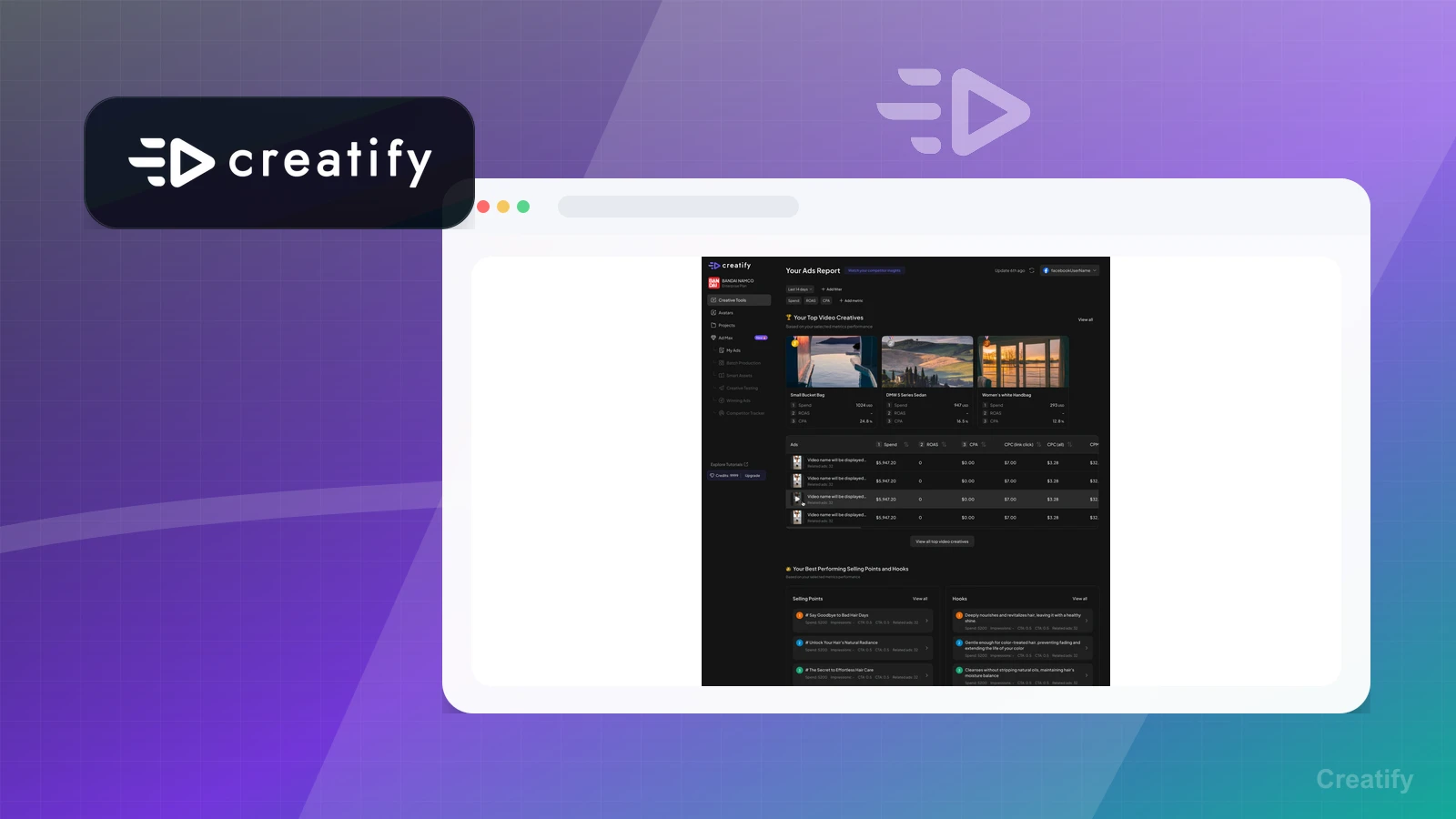
Report

Inspect the captured reporting surface

The report screen presents account labels, date controls, charts, and displayed aggregate metrics.

Practical use

  • Identify where a reporting surface presents metrics and date controls
  • Treat displayed figures as capture-time interface content and verify sources, attribution, and definitions independently

What this screen does not prove: Visible metrics, charts, dates, and account labels do not prove metric accuracy, account connection, attribution, ad delivery, performance, conversion, revenue, or outcomes.

Creatify ads reportOwner-captured Creatify reporting interface at capture time.

Image ads

Review example creative cards

The captured page shows example image-ad cards with third-party brands, people, products, labels, and promotional content.

Practical use

  • Inspect the visible creative-card layout and labels
  • Separate sample visuals from rights, brand approval, consent, output quality, publication, and campaign evaluation

What this screen does not prove: Example ads, brands, people, products, labels, and promotional content do not prove rights clearance, consent, account use, publication, ad acceptance, performance, conversion, or revenue.

Creatify image-ad examplesOwner-captured Creatify image-ad interface at capture time.

Creative tools

Locate creative-tool entry points

The creative-tools home screen presents tool cards, AI-related labels, and example creative content.

Practical use

  • Identify the visible tool-entry surfaces
  • Verify current availability, plan access, prompts, inputs, rights, review, export, and publishing requirements separately

What this screen does not prove: AI-tool labels, example creative content, and tool cards do not prove current availability, output accuracy, rights, consent, quality, publication, ad acceptance, performance, conversion, or revenue.

Creatify creative tools homeOwner-captured Creatify creative-tools interface at capture time.

Plain verdict

Should you use Creatify?

Example to explore for AI video ad workflows while Paepae Stack reviews source-prep, generation, export, watermark, and plan-limit evidence.

Use this if

  • Product-page video ad generation
  • UGC-style ad creative
  • Agency ad production workflows

Avoid for now if

  • Teams without clear source material
  • Campaigns that need only email or landing-page work
  • Anyone expecting proof of ad performance from a documentation-based review

Evidence status

Documentation-based with workflow documentation

Last verified: 2026-05-11

Outbound status

Approved affiliate link

Affiliate links are disclosed before product clicks. Review the methodology.

Decision flow

Place Creatify in the stack decision

Use this path before treating Creatify as the answer. The product should fit the workflow role, comparison fork, and upgrade timing before an outbound click.

Short answer

Creatify is an example to explore for AI video ad workflows when product pages, offer facts, images, or campaign notes may need to become short-form ad creative. Paepae Stack treats this page as documentation-based and under review, so it does not prove output quality, ad performance, conversion lift, support quality, billing reliability, or long-term workflow fit.

Quick take

An AI ad creative platform for generating video ads, image ads, avatar-style creative, and related ad assets from product or campaign inputs.

This is an example to explore while Paepae Stack reviews the workflow. Treat it as documentation-based fit guidance, not as proof of output quality, ad performance, support, billing, or long-term reliability.

Paepae Stack positions Creatify as ai video ad stack evaluation paths, source-prep evidence capture, and future ai ad creative workflow comparisons. The fit depends on the workflow, not only the feature list.

The recommendation includes workflow documentation and visible limitation notes, so the page separates what was seen in the workflow from claims that still require stronger proof.

Not ideal for

  • Teams without clear source material
  • Campaigns that need only email or landing-page work
  • Anyone expecting proof of ad performance from a documentation-based review

Strengths

  • Direct fit for product-page-to-ad creative workflows
  • Relevant to ecommerce and agency video ad production
  • Useful first AI video evidence target because approval is confirmed

Cautions

  • Keep claims documentation-based until owned tests exist
  • Verify product URL handling, export limits, watermark behavior, and asset controls before public recommendation
  • Do not imply conversion, cost, or output-quality improvements without measured evidence

What is still under review

This page is useful for workflow-fit research, but it is not a hands-on proof page yet. The captured interface documents visible controls, while completed owned setup evidence is still needed before making stronger claims.

  • Run one source-prep brief through the workflow and capture where product facts, assets, and claim boundaries survive or break.
  • Record export, watermark, editing, collaboration, asset control, billing, and plan-limit friction.
  • Validate the destination and follow-up path separately before making any creative-performance or conversion claims.

Pricing snapshot

AI ad creative plans with free and paid tiers that vary by credits, video or image output, watermark handling, avatars, templates, and team or agency needs.

Start by checking credits, export quality, watermark removal, source URL handling, avatar needs, asset storage, collaboration, and commercial usage requirements.

Plan caveats

  • Credit limits and export restrictions can affect whether a test workflow is enough for real campaign production.
  • AI video output should be evaluated for source accuracy, claim safety, asset controls, and revision friction before recommending a paid plan.

Pricing sources

Implementation notes

  • Start by deciding the job Creatify must do in the stack, then compare it against the nearest alternatives.
  • Write down the trigger, fields, and expected result before building an automation around it.

When to upgrade

  • Upgrade toward Creatify when the workflow it supports is already visible in the business.
  • Delay the purchase if the tool would create more setup work than customer-facing value this month.

Questions this page answers

What should I prepare before trying Creatify?
Prepare product facts, audience, offer promise, supported proof, visual assets, claim boundaries, and the destination page before testing whether Creatify is the right creative-generation step.

Next best action

Decide whether Creatify fits

The page is past the quarterly review window and should be refreshed before heavier promotion.

Visit Creatify: Open the approved outbound path after checking the fit notes and plan caveats.

Compare Creatify: Use the closest comparison when the product still feels close to another option.

Use Stack Builder: Use the guided path if the right category or stack is still unclear.

Guides

Read before choosing Creatify

Next steps

Compare or continue