Affiliate disclosure: Some recommended tool links may earn Paepae Stack a commission if you buy through them. Recommendations are based on fit, tradeoffs, evidence, and source notes. Read the disclosure.
FluentCart product media preview

Workflow evidence

What the FluentCart store-operations workflow looks like

These three PaepaeStack owner-captured FluentCart demo screens show dashboard, product-list, and order-list interface structure at capture time. They are documentation evidence only, not proof of PaepaeStack sales, customers, store operation, payment activity, inventory accuracy, or business outcomes.

Dashboard overview

Inspect the demo dashboard and activity layout

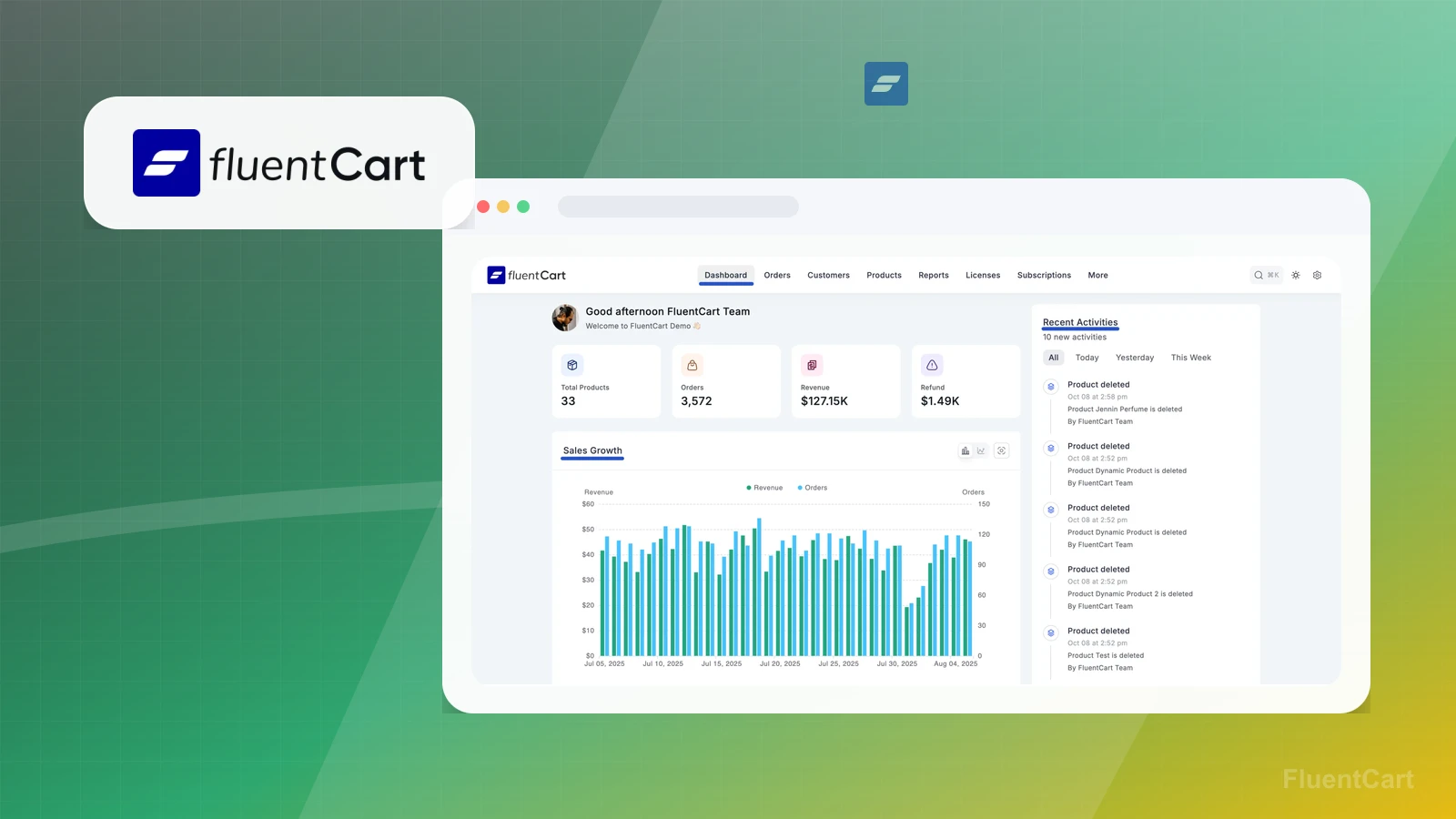
The dashboard capture shows FluentCart Demo navigation, total products, orders, revenue, and refund cards, a sales-growth chart, and recent product-deletion activity entries.

Practical use

  • Identify the visible dashboard cards, chart, navigation, and activity layout.
  • Treat totals, dates, products, orders, refunds, and activity entries as demo UI requiring independent verification.

What this screen does not prove: Displayed totals, revenue, refunds, charts, products, orders, dates, and activity entries do not prove real transactions, accounting accuracy, store operation, deletion execution, performance, conversion, or revenue.

FluentCart demo dashboard and activity layoutOwner-captured FluentCart demo dashboard at capture time.

Product list

Review product types, stock, and status fields

The product-list capture shows WordPress and FluentCart navigation, product-type filters, product names, prices, stock, publish labels, dates, Add Product, and Create Dummy Product controls.

Practical use

  • Locate the visible product-type, stock, status, and creation controls.
  • Verify product, inventory, checkout, tax, shipping, licensing, and publication behavior independently.

What this screen does not prove: Demo product names, prices, stock, and publish labels do not prove product creation, inventory accuracy, availability, publication, checkout readiness, tax or shipping configuration, licensing, sales, or conversion.

FluentCart product types, stock, and status fieldsOwner-captured FluentCart product-list interface at capture time.

Order list

Inspect order and payment-status fields

The order-list capture shows order filters, order, customer, item, and total fields, paid and pending labels, completion and processing states, order type, create-order, and pagination controls.

Practical use

  • Identify the visible order, customer, total, payment-status, and pagination surfaces.
  • Verify authorization, settlement, fulfillment, refunds, tax, and integration behavior independently.

What this screen does not prove: Visible names, IDs, dates, items, totals, payment labels, and order statuses do not prove real customers, payment authorization or settlement, fulfillment, refunds, tax handling, order completion, revenue, or integration behavior.

FluentCart order and payment-status fieldsOwner-captured FluentCart order-list interface at capture time.

Plain verdict

Should you use FluentCart?

Example to explore for WordPress-first creators who want commerce and checkout inside their owned WordPress environment.

Use this if

  • WordPress commerce
  • Digital product checkout
  • Subscription or license sales

Avoid for now if

  • Creators avoiding WordPress
  • Simple checkout needs that do not justify store operations
  • Course delivery that needs lessons, progress, and student experience controls

Evidence status

Documentation-based with workflow documentation

Last verified: 2026-05-18

Outbound status

Approved affiliate link

Affiliate links are disclosed before product clicks. Review the methodology.

Decision flow

Place FluentCart in the stack decision

Use this path before treating FluentCart as the answer. The product should fit the workflow role, comparison fork, and upgrade timing before an outbound click.

Short answer

FluentCart is an example to explore for WordPress-first commerce when a creator wants checkout, products, subscriptions, licenses, and store operations inside an owned WordPress site. Paepae Stack treats this page as documentation-based and under review, so it does not prove checkout conversion, payment reliability, tax correctness, site performance, support quality, or long-term workflow fit.

Quick take

A WordPress ecommerce plugin for product listings, checkout, orders, subscriptions, licenses, coupons, and store operations.

This is an example to explore while Paepae Stack reviews the workflow. Treat it as documentation-based fit guidance, not as proof of output quality, ad performance, support, billing, or long-term reliability.

Paepae Stack positions FluentCart as wordpress commerce notes, digital product checkout planning, and future creator checkout comparisons. The fit depends on the workflow, not only the feature list.

The recommendation includes workflow documentation and visible limitation notes, so the page separates what was seen in the workflow from claims that still require stronger proof.

Not ideal for

  • Creators avoiding WordPress
  • Simple checkout needs that do not justify store operations
  • Course delivery that needs lessons, progress, and student experience controls

Strengths

  • Fits WordPress-first selling workflows
  • Relevant to digital products, subscriptions, licenses, and lightweight ecommerce
  • Useful comparison point against hosted all-in-one checkout tools

Cautions

  • Keep claims documentation-based until owned WordPress setup evidence exists
  • Verify hosting, payment, tax, theme, plugin, update, and checkout ownership before recommending
  • Do not imply conversion, performance, support, or store reliability without measured evidence

What is still under review

This page is useful for workflow-fit research, but it is not a hands-on proof page yet. The captured interface documents visible controls, while completed owned setup evidence is still needed before making stronger claims.

  • Build one representative product, checkout, delivery, and customer-record path with owned screenshots or notes.
  • Capture payment, tax, file delivery, subscription or membership, refund or cancellation, export, and cleanup behavior where relevant.
  • Verify plan limits, plugin or hosted-platform ownership, migration risk, and support boundaries before making reliability, conversion, or revenue claims.

Pricing snapshot

WordPress ecommerce plugin pricing with annual and lifetime license options that vary by site count and current offer terms.

Start by checking site count, WordPress ownership, payment gateways, subscriptions, licenses, order bumps, coupons, tax, shipping, reporting, and store-operation needs.

Plan caveats

  • A WordPress commerce plugin creates hosting, update, theme, payment, tax, and plugin-compatibility ownership that hosted checkout tools may avoid.
  • Earlybird, annual, lifetime, installment, and agency pricing can change; confirm current terms before publishing exact price claims.

Pricing sources

Implementation notes

  • Start by deciding the job FluentCart must do in the stack, then compare it against the nearest alternatives.
  • Confirm WordPress is the right commerce home before adding store operations to the site.
  • Map the product type, payment gateway, tax/shipping needs, checkout fields, license/subscription needs, and update ownership.
  • Compare against Systeme.io, Shopify, and FreshLearn when the workflow could be simpler outside WordPress.

When to upgrade

  • Move toward FluentCart when WordPress is already the site center and selling through WordPress is the practical next step.
  • Upgrade only after product type, payment, tax, checkout, and store-operations ownership are clear.
  • Delay FluentCart if the business needs a simpler hosted checkout, a course platform, or a non-WordPress launch path.

Questions this page answers

When should I delay FluentCart?
Delay FluentCart if the business is not WordPress-first, only needs a simple checkout link, or needs course delivery and student experience controls more than store operations.

Next best action

Decide whether FluentCart fits

The page is past the quarterly review window and should be refreshed before heavier promotion.

Visit FluentCart: Open the approved outbound path after checking the fit notes and plan caveats.

Use Stack Builder: Use the guided path if the right category or stack is still unclear.

Guides

Read before choosing FluentCart

Next steps

Compare or continue