Affiliate disclosure: Some recommended tool links may earn Paepae Stack a commission if you buy through them. Recommendations are based on fit, tradeoffs, evidence, and source notes. Read the disclosure.
HighLevel / GoHighLevel product media preview

Workflow evidence

What the HighLevel agency workflow looks like

These five PaepaeStack owner-captured HighLevel screens document template, dashboard, advertising, workflow, and AI-agent interface structure at capture time. They are documentation evidence only, not proof of activation, delivery, execution, compliance, performance, appointments, leads, revenue, or PaepaeStack account operation.

Template library

Browse the template-library controls

The template-library screen shows category selection, search, filters, popularity sorting, and visible funnel-template cards.

Practical use

  • Identify the visible search, filter, and category choices
  • Compare a template starting point with the actual workflow requirements

What this screen does not prove: Template cards and filters do not prove availability, plan access, successful use, design quality, lead generation, conversion, or sales.

HighLevel template libraryOwner-captured HighLevel template-library interface at capture time.

Dashboards

Inspect dashboard-template categories

The dashboard screen shows category selection, search, filtering, sorting, and visible lead, appointment, opportunity, communication, and call-tracking card examples.

Practical use

  • Map the visible dashboard categories before defining metrics
  • Separate dashboard presentation from data-quality and attribution checks

What this screen does not prove: Dashboard cards and labels do not prove data accuracy, attribution accuracy, current metrics, tracking reliability, appointments, communication outcomes, or sales.

HighLevel dashboard templatesOwner-captured HighLevel dashboard-template interface at capture time.

Ad Manager

Review the ad-template surface

The Ad Manager screen presents template categories, filters, and example promotional-creative cards.

Practical use

  • Locate visible template and filter controls
  • Keep approval, audience, creative, budget, and measurement checks separate

What this screen does not prove: Example ad cards do not prove ad approval, targeting, delivery, policy compliance, lead generation, conversion, ROI, or campaign performance.

HighLevel Ad Manager templatesOwner-captured HighLevel Ad Manager interface at capture time.

Workflow

Map the automation-workflow surface

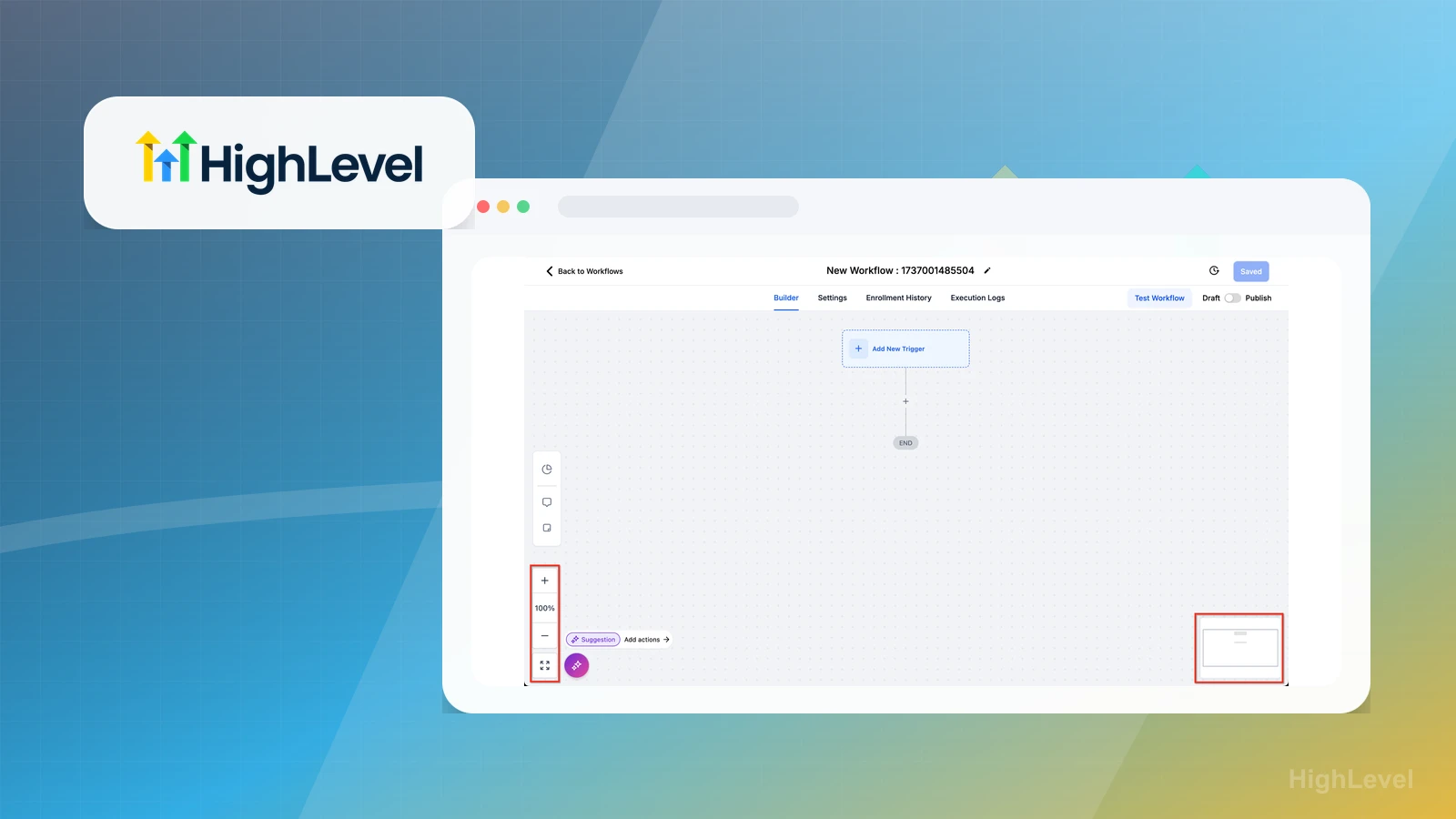
The workflow screen shows Builder, Settings, Enrollment History, Execution Logs, Test Workflow, Draft and Publish controls, visible steps, and displayed percentage fields.

Practical use

  • Identify visible automation and reporting surfaces
  • Specify testing, consent, suppression, monitoring, and rollback requirements separately

What this screen does not prove: A workflow screen and displayed percentages do not prove save state, publication, trigger execution, delivery, opens, clicks, replies, bounces, reliability, or appointment outcomes.

HighLevel automation workflowOwner-captured HighLevel workflow interface at capture time.

AI Agents

Locate the AI-agent entry surface

The AI Agents screen shows a Voice AI tab, Create from scratch, Explore templates, example prompts, and broader navigation controls.

Practical use

  • Identify visible AI-agent entry points and template surfaces
  • Keep consent, identity, testing, escalation, monitoring, and policy checks explicit

What this screen does not prove: AI-agent entry controls and example prompts do not prove creation, voice quality, caller identity, compliance, routing, support handling, booking, uptime, or business results.

HighLevel AI AgentsOwner-captured HighLevel AI-agent interface at capture time.

Plain verdict

Should you use HighLevel?

Good fit for micro-agencies and consultants who need client-focused CRM, funnels, and automations.

Use this if

  • Micro-agencies
  • Consultants serving local businesses
  • CRM-heavy funnel workflows

Avoid for now if

  • Solo creators with only a newsletter
  • Simple course-only businesses
  • People avoiding platform complexity

Evidence status

Documentation-based with workflow documentation

Last verified: 2026-05-02

Outbound status

Approved affiliate link

Affiliate links are disclosed before product clicks. Review the methodology.

Decision flow

Place HighLevel in the stack decision

Use this path before treating HighLevel as the answer. The product should fit the workflow role, comparison fork, and upgrade timing before an outbound click.

Short answer

HighLevel / GoHighLevel fits when micro-agencies need the stack role it is built for. It is not the right first path if your workflow matches solo creators with only a newsletter, so compare the cautions and alternatives before treating it as the first purchase.

Quick take

A CRM, funnel, pipeline, and automation platform built heavily around agency and client-service workflows.

Paepae Stack positions HighLevel / GoHighLevel as micro-agency stack, agency crm guides, and highlevel comparisons. The fit depends on the workflow, not only the feature list.

The recommendation includes workflow documentation and visible limitation notes, so the page separates what was seen in the workflow from claims that still require stronger proof.

Not ideal for

  • Solo creators with only a newsletter
  • Simple course-only businesses
  • People avoiding platform complexity

Strengths

  • Agency-oriented CRM
  • Automation and pipelines
  • High-value audience fit

Cautions

  • Can be too much platform for beginners
  • Requires clear workflows to justify the complexity

Pricing snapshot

Paid CRM and marketing-platform plans with agency-oriented tiers.

Start by checking account, sub-account, CRM, automation, and client-management requirements.

Plan caveats

  • HighLevel can be more platform than a solo creator needs, so price should be evaluated against active client or pipeline workflows.
  • Agency and SaaS-mode features can change the practical cost of ownership.

Pricing sources

Implementation notes

  • Start by deciding the job HighLevel must do in the stack, then compare it against the nearest alternatives.
  • Keep the first launch path simple, but document which parts of the workflow would be hard to migrate later.
  • Write down the trigger, fields, and expected result before building an automation around it.

When to upgrade

  • Upgrade toward HighLevel when the workflow it supports is already visible in the business.
  • Delay the purchase if the tool would create more setup work than customer-facing value this month.

Questions this page answers

Who is HighLevel a good fit for?
HighLevel is a good fit for micro-agencies, consultants serving local businesses, crm-heavy funnel workflows when that workflow is already the next practical job in the business.
Who should skip HighLevel?
Skip or delay HighLevel if you identify with solo creators with only a newsletter or if the tool would add setup work before creating customer-facing value.

Next best action

Decide whether HighLevel fits

The page is past the quarterly review window and should be refreshed before heavier promotion.

Visit HighLevel: Open the approved outbound path after checking the fit notes and plan caveats.

Compare HighLevel: Use the closest comparison when the product still feels close to another option.

Use Stack Builder: Use the guided path if the right category or stack is still unclear.

Guides

Read before choosing HighLevel

Next steps

Compare or continue

Systeme.io

Good fit for beginner creators who want one simple platform before assembling a larger stack.

ClickFunnels

Good fit for funnel-heavy creators and marketers who want a sales-first platform.

Pabbly

Good fit as an automation layer when the core stack needs integrations but does not need a full agency CRM.

Systeme.io vs HighLevel

Choose Systeme.io for a simple creator launch. Choose HighLevel when client pipelines, agency workflows, and CRM depth matter.

HighLevel vs ClickFunnels

Choose HighLevel for agency CRM, pipelines, and client operations. Choose ClickFunnels for funnel-first marketing and offer testing.

Dubsado vs HighLevel

Choose Dubsado when the job is client intake, proposals, contracts, invoices, and service workflow operations. Choose HighLevel when CRM pipelines, lead follow-up, automations, and agency-style client management are the center.

Micro-Agency Stack

A micro-agency stack needs lead capture, CRM visibility, repeatable fulfillment workflows, and enough automation to keep client work from turning into manual admin.

Service Booking and Intake Stack

Start with one booking path, practical intake questions, confirmation rules, and follow-up ownership before adding CRM, chat, deposits, or automation.

AI Video Ad Stack

Start with source prep and claim-safe creative structure, then add landing page, follow-up, automation, CRM, and tracking layers only when the ad workflow needs them.

Micro-Agency CRM and Automation

A micro-agency hub for CRM, client pipelines, funnels, automation, hosting, and support workflows.

Service Booking and Intake

A focused hub for booking pages, appointment scheduling, intake forms, reminders, deposits, CRM handoff, and service follow-up.