Affiliate disclosure: Some recommended tool links may earn Paepae Stack a commission if you buy through them. Recommendations are based on fit, tradeoffs, evidence, and source notes. Read the disclosure.
KDSpy product media preview

Workflow evidence

What the KDSpy Kindle-research workflow looks like

These three PaepaeStack owner-captured KDSpy screens show category results, keyword analysis, and a word cloud at capture time. Displayed book titles and metrics are third-party research UI, not PaepaeStack claims or proof of data accuracy, freshness, demand, ranking, sales, or outcomes.

Category results

Inspect category-result columns and filters

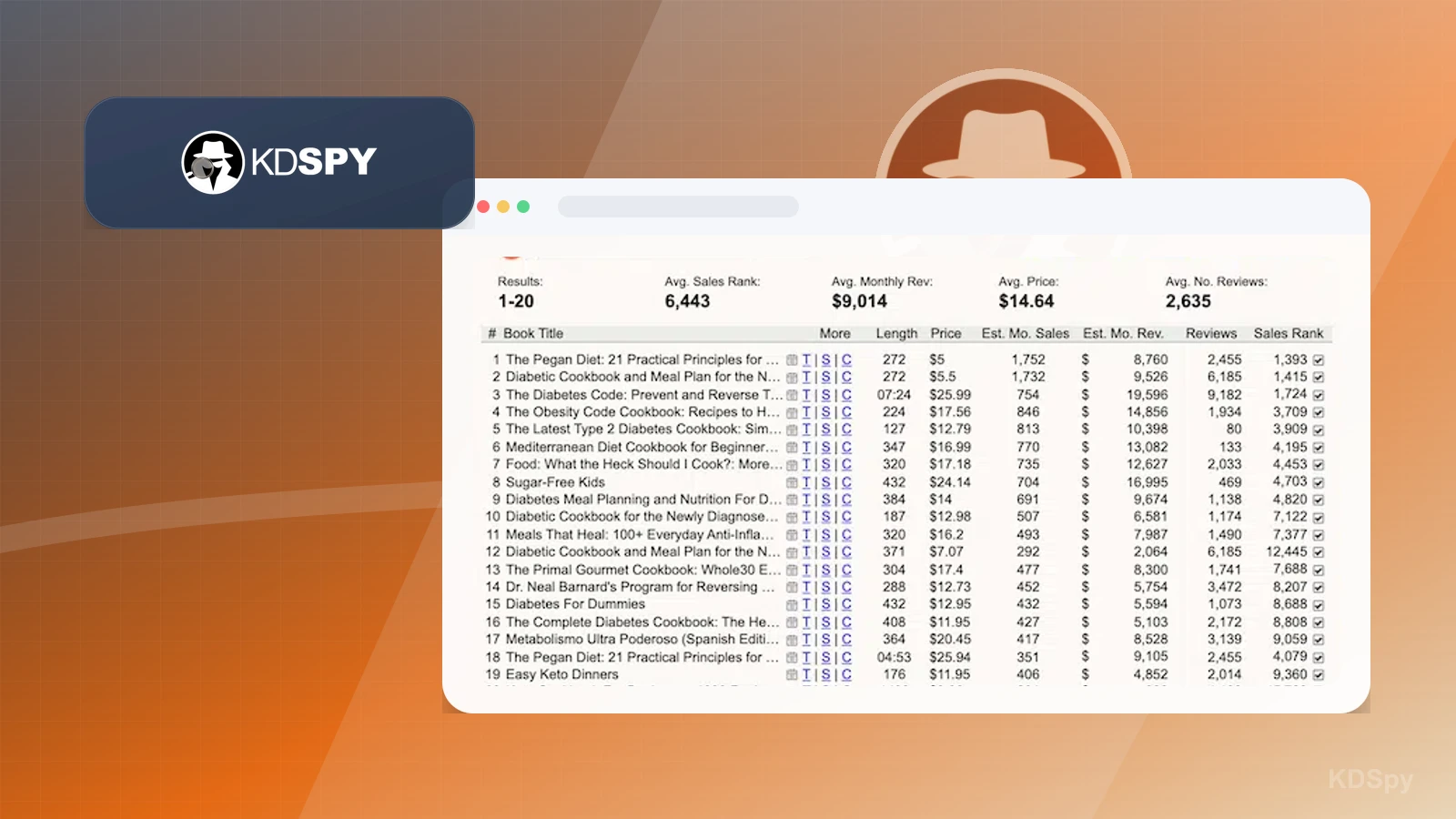
The category-results screen shows a best-seller category label, result rows, third-party book titles, length, price, estimated monthly sales and revenue, review counts, sales rank, format tabs, a region selector, export and help controls, a total monthly-revenue value, and indicator lights.

Practical use

  • Map the visible category-result fields and filters before defining a research question.
  • Treat displayed titles, ranks, reviews, prices, estimates, and indicators as capture-time UI that requires independent source and freshness checks.

What this screen does not prove: Titles, ranks, reviews, prices, revenue, sales estimates, and indicators do not prove data accuracy, freshness, category acceptance, book ownership, demand, competition, profitability, ranking potential, sales, or outcomes.

KDSpy category-result columns and filtersOwner-captured KDSpy category-results interface at capture time.

Keyword analysis

Review keyword-analysis fields and indicators

The keyword-analysis screen shows keyword and average price, rank, pages, rating, and reviews, plus result rows, KWT and KWD fields, color-coded cells, a region selector, estimated revenue, and indicator lights.

Practical use

  • Identify the visible keyword-analysis fields before comparing them with current marketplace sources.
  • Separate color coding and estimates from decisions about competition, discoverability, profitability, category fit, and launch performance.

What this screen does not prove: Keyword, rating, review, rank, estimated revenue, color coding, and indicator values do not prove accuracy, freshness, search volume, competition, discoverability, profitability, category fit, ranking, sales, or launch performance.

KDSpy keyword-analysis fields and indicatorsOwner-captured KDSpy keyword-analysis interface at capture time.

Word cloud

Locate repeated terms in the captured word cloud

The word-cloud screen shows a best-seller category label, a word cloud, occurrence counts, a top-five word list, an export control, and a Facebook promotional panel.

Practical use

  • Locate repeated-term and export surfaces in the captured research view.
  • Review keyword relevance, trademark safety, buyer intent, and search-demand evidence separately from word size or occurrence counts.

What this screen does not prove: Word size, occurrence counts, category labels, and the promotional panel do not prove keyword relevance, trademark safety, buyer intent, search demand, category acceptance, ranking, discoverability, sales, or endorsement.

KDSpy captured word cloudOwner-captured KDSpy word-cloud interface at capture time.

Plain verdict

Should you use KDSpy?

Example to explore for authors who need Kindle-specific research inputs before choosing category, keyword, or positioning decisions.

Use this if

  • Kindle category research
  • KDP niche checks
  • Competing-book research

Avoid for now if

  • Authors without a manuscript, reader promise, or publishing goal yet
  • Writers expecting research software to guarantee rankings or sales
  • Wide-publishing workflows where Kindle-specific signals are only one part of the decision

Evidence status

Documentation-based with workflow documentation

Last verified: 2026-06-11

Outbound status

Approved affiliate link

Affiliate links are disclosed before product clicks. Review the methodology.

Decision flow

Place KDSpy in the stack decision

Use this path before treating KDSpy as the answer. The product should fit the workflow role, comparison fork, and upgrade timing before an outbound click.

Short answer

KDSpy is an under-review candidate for kindle category research when that workflow is already the next bottleneck. Paepae Stack treats this page as documentation-based fit guidance, so it does not prove performance, conversion lift, deliverability, support quality, billing reliability, uptime, or long-term workflow results.

Quick take

A Kindle research tool for checking categories, competing books, keywords, and niche signals before an author chooses a KDP publishing angle.

This is an example to explore while Paepae Stack reviews the workflow. Treat it as documentation-based fit guidance, not as proof of output quality, ad performance, support, billing, or long-term reliability.

Paepae Stack positions KDSpy as self-publishing research notes, kdp launch planning, and future author-stack decisions. The fit depends on the workflow, not only the feature list.

The recommendation includes workflow documentation and visible limitation notes, so the page separates what was seen in the workflow from claims that still require stronger proof.

Not ideal for

  • Authors without a manuscript, reader promise, or publishing goal yet
  • Writers expecting research software to guarantee rankings or sales
  • Wide-publishing workflows where Kindle-specific signals are only one part of the decision

Strengths

  • Focused fit for Kindle category, keyword, and competitor research
  • Useful before upload decisions that affect positioning and discoverability
  • Pairs naturally with Publisher Rocket as a cautious author-research comparison point

Cautions

  • Keep claims under review until screenshot redaction, data freshness, and KDP claim boundaries are checked
  • Verify current browser support, marketplace coverage, data sources, category behavior, and export options before recommending broadly
  • Do not imply ranking, sales, discoverability, launch performance, or category acceptance outcomes without evidence

What is still under review

This page is useful for workflow-fit research, but it is not a hands-on proof page yet. The captured interface documents visible controls, while completed owned setup evidence is still needed before making stronger claims.

  • Capture a representative setup path with screenshots or notes that support only the visible workflow claims.
  • Verify current plan limits, billing surfaces, export or migration controls, and cleanup path.
  • Keep performance, support, reliability, deliverability, conversion, or revenue claims out until owned evidence supports them.

Pricing snapshot

Kindle research software pricing should be checked from the current KDSpy product and affiliate source pages before relying on exact purchase terms.

Start by checking Kindle category, keyword, competing-book, browser support, marketplace coverage, update, refund, and export needs for the author workflow.

Plan caveats

  • Research tools can inform positioning, but they do not guarantee ranking, category placement, discoverability, launch, or sales outcomes.
  • Data freshness, marketplace coverage, browser support, category behavior, and export options should be checked before using it for a specific book launch.

Pricing sources

Implementation notes

  • Start by deciding the job KDSpy must do in the stack, then compare it against the nearest alternatives.

When to upgrade

  • Upgrade toward KDSpy when the workflow it supports is already visible in the business.
  • Delay the purchase if the tool would create more setup work than customer-facing value this month.

Questions this page answers

Who is KDSpy a good fit for?
KDSpy is a good fit for kindle category research, kdp niche checks, competing-book research when that workflow is already the next practical job in the business.
Who should skip KDSpy?
Skip or delay KDSpy if you identify with authors without a manuscript, reader promise, or publishing goal yet or if the tool would add setup work before creating customer-facing value.

Next best action

Decide whether KDSpy fits

The page is past the quarterly review window and should be refreshed before heavier promotion.

Visit KDSpy: Open the approved outbound path after checking the fit notes and plan caveats.

Use Stack Builder: Use the guided path if the right category or stack is still unclear.

Guides

Read before choosing KDSpy

Next steps

Compare or continue