Affiliate disclosure: Some recommended tool links may earn Paepae Stack a commission if you buy through them. Recommendations are based on fit, tradeoffs, evidence, and source notes. Read the disclosure.
Payhip product media preview

Workflow evidence

What the Payhip direct-selling workflow looks like

These three PaepaeStack owner-captured Payhip screens show product-type, store-builder, and marketing interface structure at capture time. They document visible workflow surfaces only, not proof of account or store ownership, product creation, saving, publication, upload, delivery, checkout, payment, tax, coupon, campaign, affiliate, or business outcomes.

Product type

Inspect the visible product-type chooser

The create-product chooser shows category cards for digital product, physical product, course, and coaching service.

Practical use

  • Map the visible product categories before deciding which product setup path needs separate verification.
  • Keep product inputs, ownership, pricing, delivery, access, and publication checks separate from the chooser.

What this screen does not prove: Visible product categories and controls do not prove product creation, saving, upload, pricing, publication, delivery, access, checkout, payment authorization, tax handling, refunds, sales, revenue, or conversion.

Payhip product-type chooserOwner-captured Payhip product-type chooser at capture time.

Store builder

Review the store-builder entry points

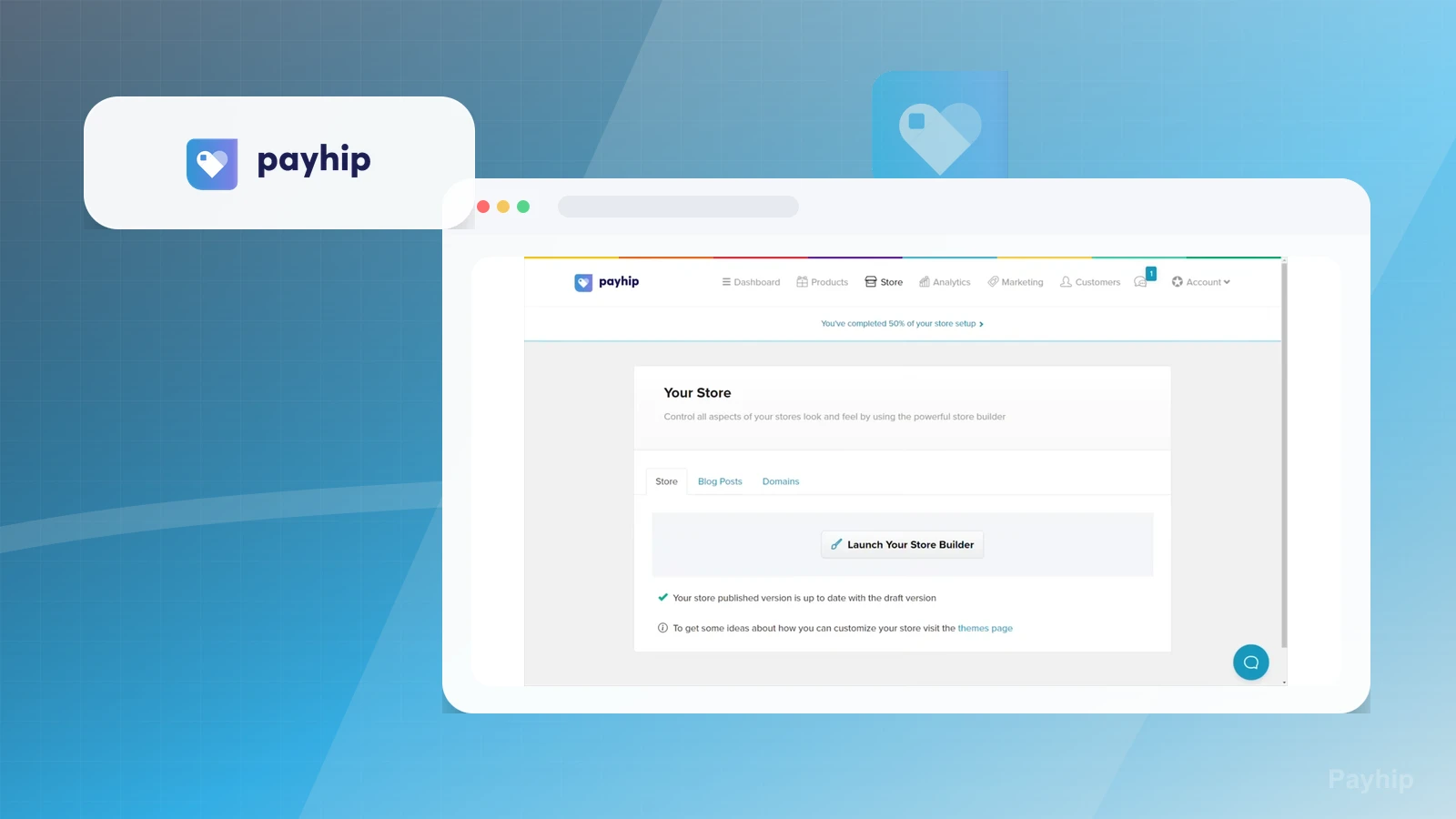
The store-builder screen shows store, blog-post, and domain tabs, a builder launch control, and capture-time publication or version wording.

Practical use

  • Identify the visible store, blog, domain, and builder entry points before checking the live storefront path.
  • Separate domain configuration and publication verification from capture-time interface wording.

What this screen does not prove: Visible store, blog, domain, launch, publication, and version surfaces do not prove account or store ownership, domain configuration, live storefront status, saved changes, publication, checkout, delivery, or business outcomes.

Payhip store-builder entry pointsOwner-captured Payhip store-builder interface at capture time.

Marketing controls

Inspect coupon and marketing surfaces

The marketing screen shows coupon and adjacent promotional tabs plus an add-coupon control and capture-time interface count.

Practical use

  • Locate the visible coupon and marketing controls before defining a campaign or promotion test.
  • Keep mailing-list, affiliate, referral, delivery, and outcome checks separate from the captured controls.

What this screen does not prove: Visible coupon and marketing controls do not prove coupon creation, promotional campaign execution, mailing-list delivery, affiliate activation, referral attribution, sales, revenue, conversion, or outcomes.

Payhip coupon and marketing surfacesOwner-captured Payhip marketing interface at capture time.

Plain verdict

Should you use Payhip?

Example to explore for creators who want a lightweight direct-selling path before committing to a heavier funnel, store, or course platform.

Use this if

  • Direct digital product sales
  • Simple storefronts
  • Downloads and ebooks

Avoid for now if

  • WordPress-first sellers who want checkout inside their own site
  • Course businesses that need a dedicated learning environment
  • Teams that need deep CRM, funnel testing, or client pipeline operations

Evidence status

Documentation-based with workflow documentation

Last verified: 2026-06-09

Outbound status

Approved affiliate link

Affiliate links are disclosed before product clicks. Review the methodology.

Decision flow

Place Payhip in the stack decision

Use this path before treating Payhip as the answer. The product should fit the workflow role, comparison fork, and upgrade timing before an outbound click.

Short answer

Payhip is an under-review candidate for direct digital product sales when that workflow is already the next bottleneck. Paepae Stack treats this page as documentation-based fit guidance, so it does not prove performance, conversion lift, deliverability, support quality, billing reliability, uptime, or long-term workflow results.

Quick take

A direct-selling platform for digital downloads, ebooks, templates, memberships, courses, coaching, and simple storefronts.

This is an example to explore while Paepae Stack reviews the workflow. Treat it as documentation-based fit guidance, not as proof of output quality, ad performance, support, billing, or long-term reliability.

Paepae Stack positions Payhip as digital product selling paths, beginner creator stack decisions, and direct checkout workflow notes. The fit depends on the workflow, not only the feature list.

The recommendation includes workflow documentation and visible limitation notes, so the page separates what was seen in the workflow from claims that still require stronger proof.

Not ideal for

  • WordPress-first sellers who want checkout inside their own site
  • Course businesses that need a dedicated learning environment
  • Teams that need deep CRM, funnel testing, or client pipeline operations

Strengths

  • Clear direct-selling role for downloads, ebooks, templates, memberships, and small offers
  • Useful lower-complexity alternative to a full funnel or ecommerce stack
  • Fits beginner creator and newsletter-led product paths after the offer is clear

Cautions

  • Keep claims under review until owned checkout, delivery, tax, and customer-record evidence exists
  • Verify payment, file delivery, EU/UK VAT handling, store builder, coupon, membership, and export behavior before broad recommendation
  • Do not imply checkout conversion, payment reliability, tax correctness, or product revenue without measured evidence

What is still under review

This page is useful for workflow-fit research, but it is not a hands-on proof page yet. The captured interface documents visible controls, while completed owned setup evidence is still needed before making stronger claims.

  • Build one representative product, checkout, delivery, and customer-record path with owned screenshots or notes.
  • Capture payment, tax, file delivery, subscription or membership, refund or cancellation, export, and cleanup behavior where relevant.
  • Verify plan limits, plugin or hosted-platform ownership, migration risk, and support boundaries before making reliability, conversion, or revenue claims.

Pricing snapshot

Direct-selling plans with a free entry path and paid plans that mainly change transaction-fee economics rather than gating core selling features.

Start by checking product type, payment gateway, transaction fees, file delivery, VAT or tax handling, storefront needs, memberships, courses, coupons, and customer export requirements.

Plan caveats

  • A free or low-monthly-cost checkout path can become more expensive as sales volume grows if transaction fees are not modeled.
  • Direct-selling fit should be checked against product delivery, tax handling, customer records, email follow-up, and migration needs before moving real buyers.

Pricing sources

Implementation notes

  • Start by deciding the job Payhip must do in the stack, then compare it against the nearest alternatives.
  • Map the course structure, student access, and onboarding emails before choosing plan features.
  • Keep the first launch path simple, but document which parts of the workflow would be hard to migrate later.

When to upgrade

  • Upgrade toward Payhip when the workflow it supports is already visible in the business.
  • Delay the purchase if the tool would create more setup work than customer-facing value this month.

Questions this page answers

Who is Payhip a good fit for?
Payhip is a good fit for direct digital product sales, simple storefronts, downloads and ebooks when that workflow is already the next practical job in the business.
Who should skip Payhip?
Skip or delay Payhip if you identify with wordpress-first sellers who want checkout inside their own site or if the tool would add setup work before creating customer-facing value.

Next best action

Decide whether Payhip fits

The page is past the quarterly review window and should be refreshed before heavier promotion.

Visit Payhip: Open the approved outbound path after checking the fit notes and plan caveats.

Use Stack Builder: Use the guided path if the right category or stack is still unclear.

Guides

Read before choosing Payhip

Next steps

Compare or continue