Affiliate disclosure: Some recommended tool links may earn Paepae Stack a commission if you buy through them. Recommendations are based on fit, tradeoffs, evidence, and source notes. Read the disclosure.
Podia product media preview
Website pagesReview the page workspace

The owner-captured interface shows page rows and controls at capture time. It does not independently prove saved changes, publication, domain behavior, accessibility, indexing, or visitor outcomes.

Workflow evidence

What the Podia creator workflow looks like

These four PaepaeStack owner-captured Podia screens document website-page, course-section, campaign-email, and coupon-list surfaces visible at capture time. They are interface documentation only, not proof of saved setup, publication, course delivery, email delivery, checkout, coupon execution, revenue, or outcomes.

Website pages

Review the visible page workspace

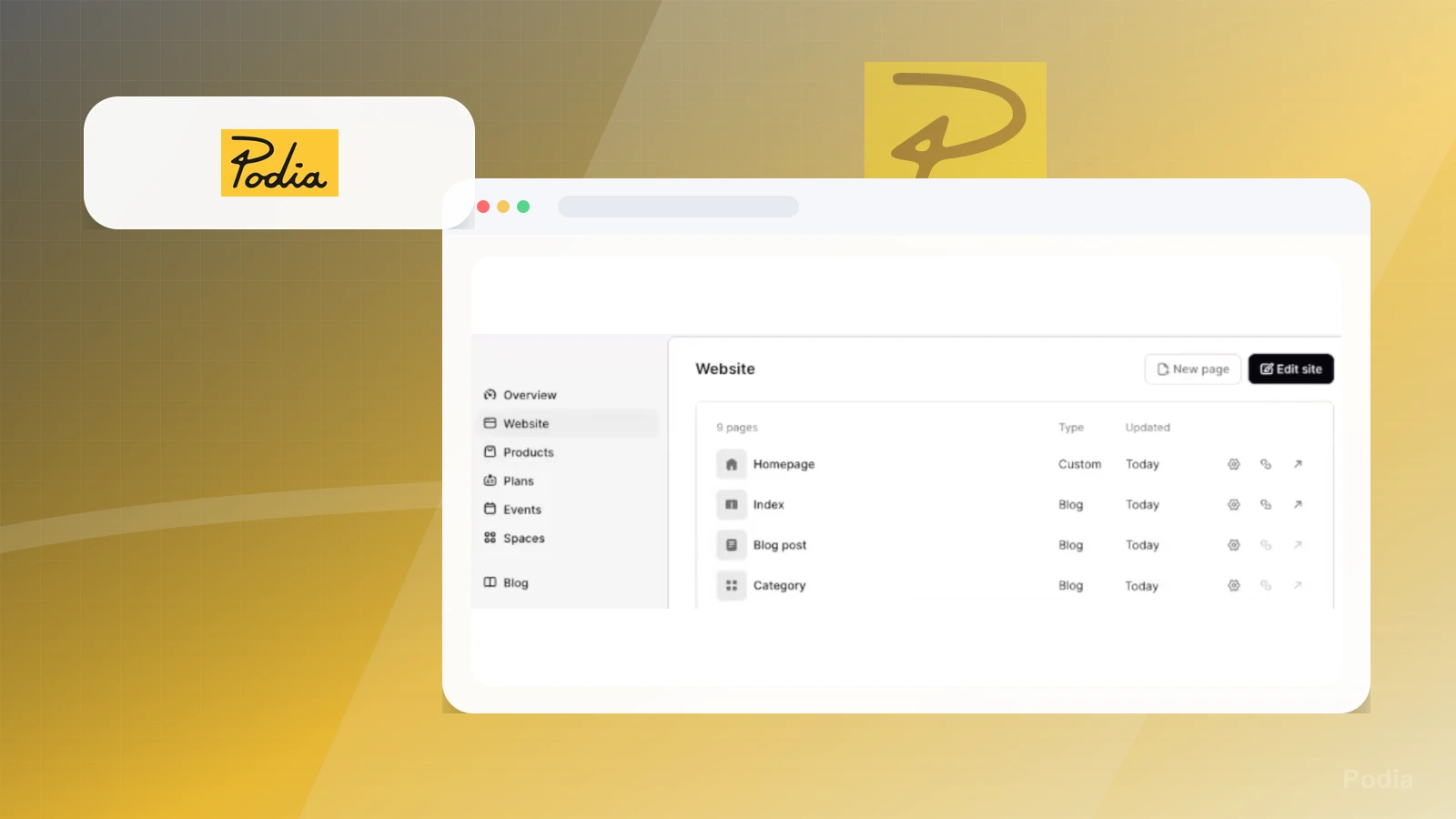
The Website screen shows New page and Edit site actions, a capture-time page count, page rows such as Homepage, Index, Blog post, and Category, Type and Updated columns, plus settings, link, and open controls.

Practical use

  • Map the visible page-management entry points before defining the site structure.
  • Separate capture-time names, counts, types, dates, and icons from saving, publication, domain, SEO, accessibility, and analytics checks.

What this screen does not prove: Visible page names, counts, types, dates, actions, and icons do not prove saved changes, publication, domain configuration, accessibility, indexing, traffic, conversion, or outcomes.

Podia website page workspaceOwner-captured Podia website-page interface at capture time.

Course section

Inspect the course-section setup path

The New Section screen shows a breadcrumb, Title and Description inputs, immediate or delayed section-access controls, and Discard and Save actions.

Practical use

  • Identify section title, description, and access-timing inputs before building course content.
  • Review curriculum, content ownership, accessibility, learner access, delivery, and publication requirements separately.

What this screen does not prove: Visible section fields, timing controls, and actions do not prove creation, saving, publication, course access, content quality, accessibility, delivery, completion, or learning outcomes.

Podia new course-section setupOwner-captured Podia course-section interface at capture time.

Campaign email

Map the campaign email editor

The campaign editor shows the capture-time Day 1 label, delay, subject, preview-text, test-send, editing, and design controls for general styles, fonts, buttons, and dividers.

Practical use

  • Locate the visible campaign content and design controls before defining a send test.
  • Keep consent, audience selection, links, accessibility, scheduling, delivery, tracking, and attribution checks separate from the editor.

What this screen does not prove: Visible campaign labels, values, saved state, editor controls, preview content, and test-send action do not prove saving, sending, email delivery, inbox placement, accessibility, engagement, sales attribution, or revenue.

Podia campaign email editorOwner-captured Podia campaign-email interface at capture time.

Coupons

Inspect coupon-list controls

The Coupons screen shows Export and New coupon actions, guidance copy, a search field, coupon filter and date-sort controls, and Coupon, Discount, Created, Expires, and Uses column headings.

Practical use

  • Identify the visible coupon-list and creation entry points before defining a promotion test.
  • Verify eligibility, limits, dates, product or plan scope, checkout behavior, reporting, and policy requirements separately.

What this screen does not prove: Visible guidance, list controls, filters, sort options, and column headings do not prove coupon creation, eligibility, discount application, expiration behavior, checkout execution, sales, conversion, reporting accuracy, or revenue.

Podia coupon workspaceOwner-captured Podia coupon-list interface at capture time.

Plain verdict

Should you use Podia?

Example to explore for solo creators who want course delivery, website pages, and email in one hosted workspace.

Use this if

  • Course-led creator businesses
  • Solo creators consolidating website and email
  • Hosted digital product launches

Avoid for now if

  • Teams that need a deeply customized learning-management system
  • WordPress-first businesses that want full site and plugin ownership
  • Businesses that only need a dedicated newsletter tool

Evidence status

Documentation-based with workflow documentation

Last verified: 2026-08-12

Outbound status

Approved affiliate link

Affiliate links are disclosed before product clicks. Review the methodology.

Decision flow

Place Podia in the stack decision

Use this path before treating Podia as the answer. The product should fit the workflow role, comparison fork, and upgrade timing before an outbound click.

Short answer

Podia is an under-review candidate for course-led creator businesses when that workflow is already the next bottleneck. Paepae Stack treats this page as documentation-based fit guidance, so it does not prove performance, conversion lift, deliverability, support quality, billing reliability, uptime, or long-term workflow results.

Quick take

An all-in-one creator platform for websites, courses, email campaigns, digital products, and simple promotional workflows.

This is an example to explore while Paepae Stack reviews the workflow. Treat it as documentation-based fit guidance, not as proof of output quality, ad performance, support, billing, or long-term reliability.

Paepae Stack positions Podia as course-platform comparisons, all-in-one creator stack decisions, and website-to-email workflow notes. The fit depends on the workflow, not only the feature list.

The recommendation includes workflow documentation and visible limitation notes, so the page separates what was seen in the workflow from claims that still require stronger proof.

Not ideal for

  • Teams that need a deeply customized learning-management system
  • WordPress-first businesses that want full site and plugin ownership
  • Businesses that only need a dedicated newsletter tool

Strengths

  • Visible website, course, email, and coupon surfaces in the owner-captured interface
  • Clear all-in-one fit for course-led creator workflows
  • Useful comparison point beside FreshLearn, Systeme.io, and Payhip

Cautions

  • Keep claims under review until separate creation, publishing, delivery, checkout, email, and coupon tests exist
  • Verify current plan limits, course access, website publishing, email delivery, checkout, taxes, refunds, exports, domains, and cancellation behavior before broad recommendation
  • Do not imply course completion, deliverability, conversion, revenue, payment reliability, or coupon performance without measured evidence

What is still under review

This page is useful for workflow-fit research, but it is not a hands-on proof page yet. The captured interface documents visible controls, while completed owned setup evidence is still needed before making stronger claims.

  • Capture a representative setup path with screenshots or notes that support only the visible workflow claims.
  • Verify current plan limits, billing surfaces, export or migration controls, and cleanup path.
  • Keep performance, support, reliability, deliverability, conversion, or revenue claims out until owned evidence supports them.

Pricing snapshot

Hosted creator-platform plans with monthly or annual billing, email-subscriber tiers, product and video limits, and plan-dependent transaction-fee differences.

Start by checking email subscriber count, product and video limits, course and community needs, website pages, email campaigns, transaction fees, payment options, integrations, and assistant access.

Plan caveats

  • Current plan limits and transaction fees can materially change fit as the audience, product catalog, video library, or selling volume grows.
  • Verify current course, website, email, community, payment, integration, migration, and cancellation terms before moving a live creator business.

Pricing sources

Implementation notes

  • Start by deciding the job Podia must do in the stack, then compare it against the nearest alternatives.
  • Set up one signup form, one welcome email, and one regular sending habit before adding advanced segments.
  • Map the course structure, student access, and onboarding emails before choosing plan features.
  • Keep the first launch path simple, but document which parts of the workflow would be hard to migrate later.

When to upgrade

  • Upgrade toward Podia when the workflow it supports is already visible in the business.
  • Delay the purchase if the tool would create more setup work than customer-facing value this month.

Questions this page answers

Who is Podia a good fit for?
Podia is a good fit for course-led creator businesses, solo creators consolidating website and email, hosted digital product launches when that workflow is already the next practical job in the business.
Who should skip Podia?
Skip or delay Podia if you identify with teams that need a deeply customized learning-management system or if the tool would add setup work before creating customer-facing value.

Next best action

Decide whether Podia fits

The source and fit notes are inside the normal quarterly review window.

Visit Podia: Open the approved outbound path after checking the fit notes and plan caveats.

Use Stack Builder: Use the guided path if the right category or stack is still unclear.

Next steps

Compare or continue